See it in action
The two admin tools, doing what they're for.
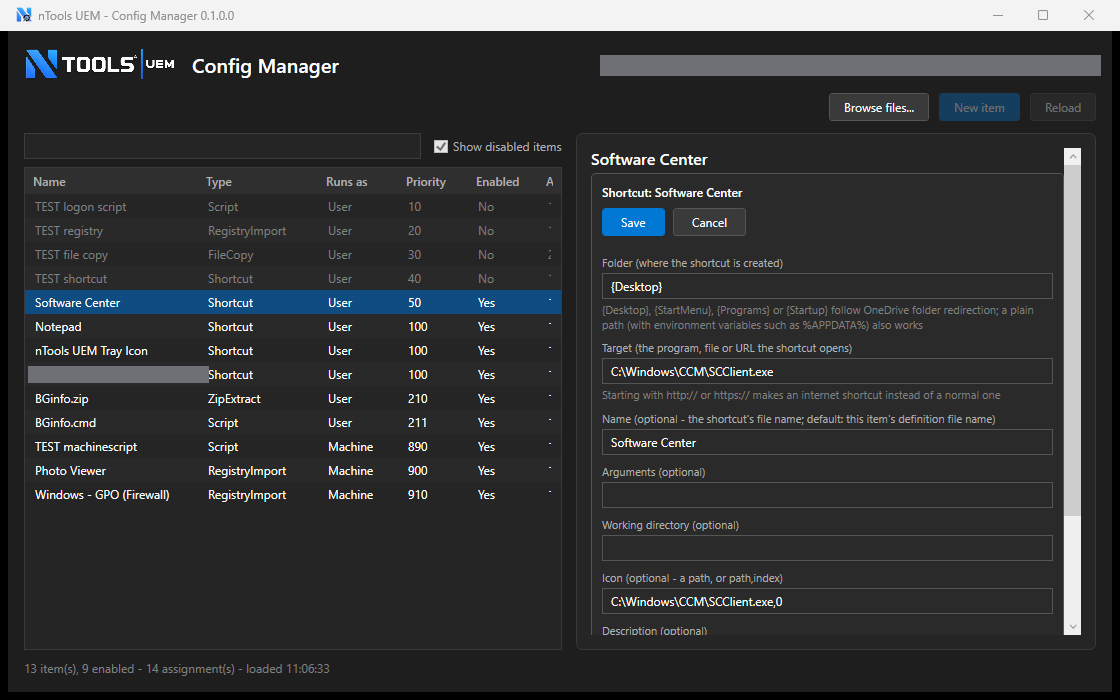
nTools - UEM Config Manager — defining and assigning configuration items.
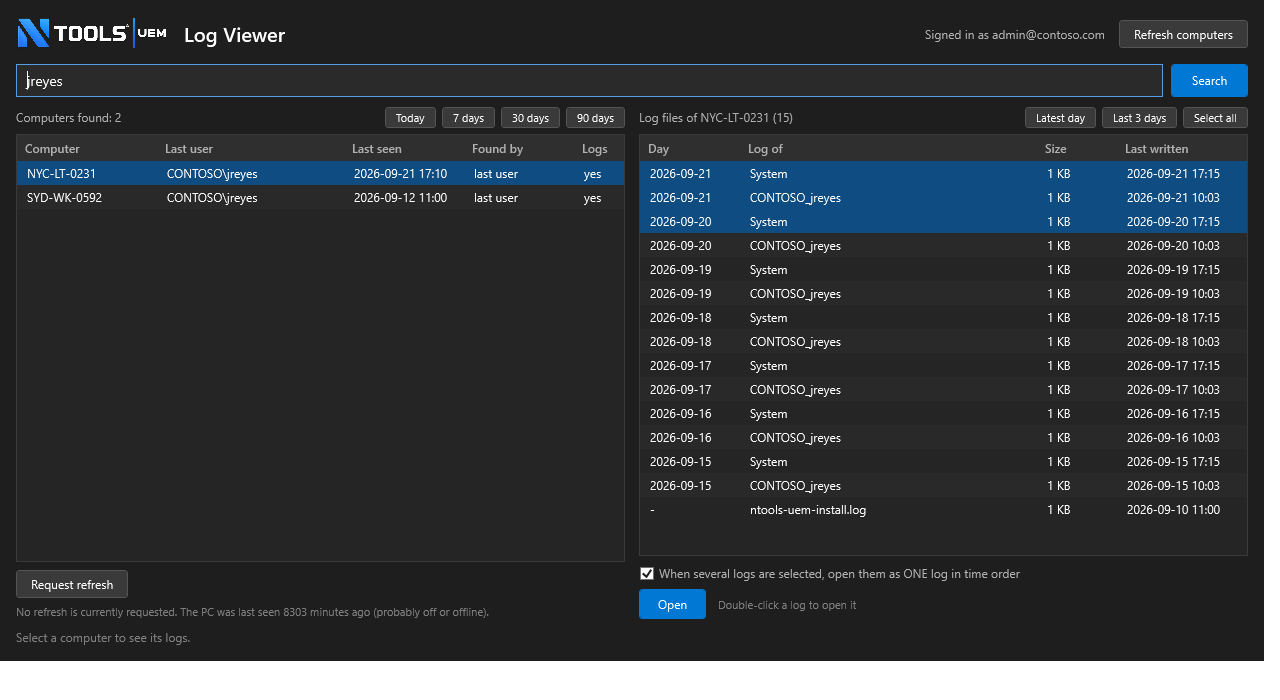
Log Viewer — finding a machine and reading its logs in one merged view.
ntools-uem is a user environment management (UEM) solution built for delivering application settings to users and devices managed by a modern unified endpoint management solution (yes, also commonly abbreviated as UEM 🤔) — optimized for a cloud-first, Entra ID-driven world. No servers, no VPN required: highly secure delivery of centrally managed configuration items.
Three moving parts, all built on infrastructure you already trust.
Define what a group of users or devices should get — registry keys, files, shortcuts — mapped to the Entra ID groups you already manage.
Configuration payloads live in Azure Blob Storage; assignment rules live in Azure SQL. No on-prem servers, no VPN required — works identically for office and remote users.
A lightweight agent applies changes at logon and on a schedule, caches everything locally for offline resilience, and updates itself across the fleet.
Everything your IT team needs to manage the user environment day to day.
The two admin tools, doing what they're for.
nTools - UEM Config Manager — defining and assigning configuration items.
Log Viewer — finding a machine and reading its logs in one merged view.
Full guides for both sides of ntools-uem.
How to define configuration items, assign them to Entra ID groups, and monitor the fleet with nTools - UEM Config Manager and Log Viewer.
What end users see day to day — the tray icon, the sign-in status window, and how to request a refresh.